
Meet the New Aymo AI: Completely Rebuilt and Ready for the Future
Everything you need to work with AI now lives in one platform. Collaboration, projects, search, the Chrome extension, and AI tools all in a single place.
July 21, 2026
3 mins to read.

Lorin Ahmed
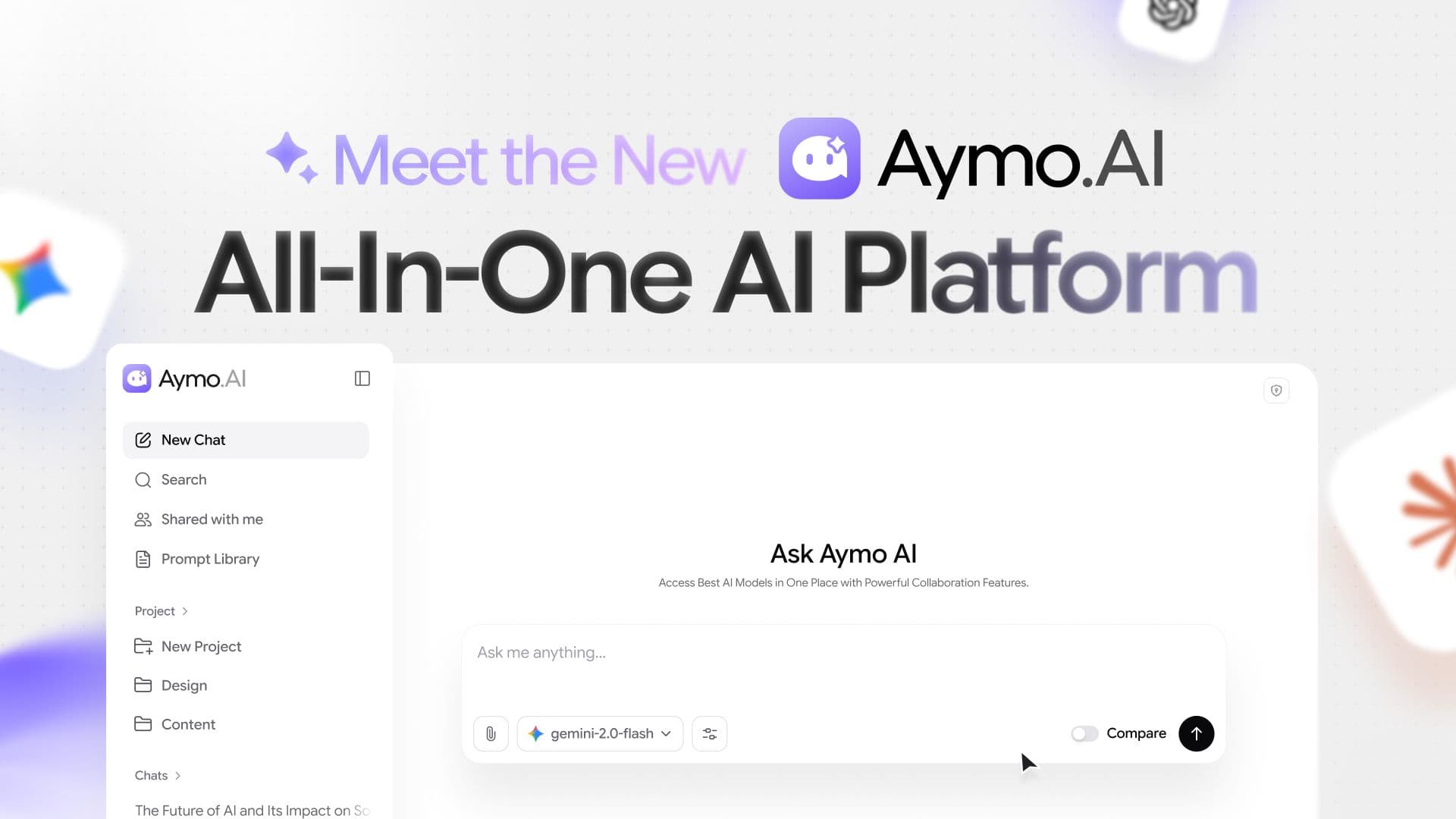
Over the past several months, we've been working on a major update with the goal of creating a more powerful and collaborative AI experience.
That vision has shaped a completely reimagined Aymo AI, designed to improve how you work with AI every day.
Aymo AI Intro
This update brings a redesigned experience, new features, and workflow changes that help individuals and teams get more out of Aymo AI.
You can choose the right model for each task, organize your work, and share it with others, all in one place.
Multiple AI Models in One Platform
Different tasks require different strengths.
Some models excel at coding, others are better at research, reasoning, writing, or handling complex analysis.
You should have the flexibility to choose the model that best fits the task at hand.
That's why we bring together leading AI models from OpenAI, Anthropic, Google, xAI, DeepSeek, Qwen, MiniMax, GLM, Kimi, Mistral, Llama, Perplexity, and more in a single platform.

Instead of managing multiple subscriptions and switching between different tools, you can access the models you need from one place and pick the right one whenever the task requires it.
Compare Models Side by Side

Sometimes the best way to evaluate Different AI models is to see their responses next to each other.
With the new Compare feature, you can run the same prompt across multiple models and instantly review the results side by side.
No switching tabs, no copying prompts, no repeating the same work.
Deep Analysis and Live Web Search
Aymo now includes Web Search and Deep Analysis on supported models, giving you access to real-time information and more detailed reasoning when a task needs deeper investigation.

Web Search helps supported models pull current information from the web, while Deep Analysis enables step-by-step reasoning for tasks that need extra depth and accuracy.
Analyze Files with Context
Aymo supports file uploads for documents, PDFs, spreadsheets, code files, and more.
You can upload or drag and drop files directly into conversations to give the model more context.

This makes it easier to summarize documents, review reports, analyze datasets, understand code, and work with large amounts of information without leaving the platform.
A Cleaner Chat Experience
Aymo now comes with a cleaner, more focused chat experience built around how people actually work with AI every day.

The interface has been redesigned to make conversations easier to navigate, projects easier to manage, and important context easier to find.
Chats, projects, prompt library, shared conversations, and organizations are now more accessible through an improved workspace layout.
The chat composer has also been improved, with quicker access to model selection, file uploads, comparison mode, web search, deep analysis, and other commonly used tools.
Quick actions help you get started faster without unnecessary clicks.
Organize Work with Projects and Workspace
As you use AI more, conversations quickly become hard to manage.

You can create projects to keep related conversations, files, and work in dedicated spaces.
Each organization holds its own projects, members, settings, and data, keeping work separated across different teams and purposes.
Together, Projects and Organizations act as containers that bring structure to your AI workflows.
Built for Collaboration
AI is no longer just an individual tool. Aymo AI includes built-in collaboration features that make it easy for teams to work together in shared spaces.

You can invite team members, set roles, and manage permissions on both projects and organizations, so owners and managers control who can access what.
Work can be shared without losing context, helping teams stay aligned and work together in a shared AI workspace.
Faster Workflows with Prompt Library
Instead of writing the same instructions again and again, you can build a library that grows alongside your workflow.

The new Prompt Library makes it easier to keep valuable prompts organized and accessible across your work.
Save prompts, create your own collections, discover new ideas through the Prompt Hub, and launch frequently used prompts with a single click.
It may look small, but it saves a surprising amount of time every day.
More Flexible Input Methods
The new Aymo supports multiple ways to interact with AI.

You can:
- Drag and drop files
- Upload documents and images
- Paste images directly into conversations
- Use quick actions for common tasks
These changes make workflows faster and more intuitive.
Purchase Additional Credits Anytime
AI usage isn't always predictable.

That's why Aymo now lets you buy extra credits. You can add credits whenever you need them instead of waiting for a monthly reset or upgrading your plan.
Personalized AI Experiences
Everyone has their own way of working, communicating, and using AI.

The new Personalization settings let you customize your Aymo experience with details such as a nickname, occupation, personal background, custom instructions, and preferred response tone.
These preferences help Aymo understand how you want to interact with AI and deliver responses that are more relevant, consistent, and aligned with your needs.
You can update them at any time, making it easy to adjust Aymo as your workflow, goals, or preferences change.
Share and manage chats with more options
Sharing conversations is now easier and more flexible.

You can share chats with team members, clients, and external collaborators whenever needed.
Invite specific people by email, manage access permissions, and generate shareable links directly from a conversation.
Access can stay restricted or be open to anyone with the link, depending on the use case.

This keeps discussions, feedback, and AI-generated work organized in one place while making collaboration more seamless.
Private Chat Mode
Some conversations require an extra layer of privacy.

Private Chat Mode creates a private session that does not appear in chat history and is automatically removed when the tab is closed.
It offers a simple way to discuss sensitive topics, run temporary tasks, and explore ideas without keeping a permanent record in your workspace.
Better Bring Your Own API Key (BYOK) Experience
If you have API access from AI providers, Aymo supports Bring Your Own API Key (BYOK). You can connect your own provider keys directly to Aymo and use those models.

Connected providers can be enabled or disabled at any time, API keys can be updated when needed, and existing connections can be removed directly from the dashboard.
Aymo currently supports connecting multiple providers, letting you access your preferred models from a single workspace while keeping full control over your provider accounts and API usage.
New AI Tools that do more than chat

Aymo started as a way to use every major AI model in one place. That is still the core of it. But most of the work people bring us isn't a single question and a single answer. It's a PDF you need to understand, a page in another language, a draft that needs a second pass. So we built the tools to handle that work directly, without you copying text back and forth or jumping between five different sites.
A few tools for PDF, marketing, translation are already live and we will release next set of tools in upcoming updates in next month.
The Chrome extension

We just release first version of Aymo AI Chrome Extension, our Chrome extension puts every model and tool one keyboard shortcut away. Highlight text on any page and summarize it, translate it, or rewrite it in place. Ask a question without leaving the article you're reading.

Draft a reply inside your email. It works across the sites you already use, so Aymo is there when you need it and out of the way when you don't.
You can add it from the Chrome Web Store, and it uses the same account and history as the web app.
Aymo AI - All in One AI Platform (Full Walkthrough & Features)
A Better Aymo Experience, Ready for the future
This release is much more than a visual redesign. We're building and improving Aymo every day, and this update is part of an ongoing effort to create the best possible AI workspace, with much more on the way.

Several major additions are already in development, including Voice Interaction, a Chrome Extension, Image Generation, and many other improvements across the platform.
We'll keep shipping new features, adding new models, and refining the experience through regular updates as Aymo AI evolves.
Thank you for being part of the journey.